Accounting management software is designed to maintain overall business accounting details including Stock levels, customer/vendor records and other information of the Company in computerized and systematic manner. Software easily records business expenditure/income details and other financial records from a single host system. Utility generates various fiscal reports, general ledgers, balance sheets and profit-loss details of the organization.
Professional yet simple to use Accounting management software easily creates and manages Company details, Customer and Vendor details, Sales/Purchase order, Tax related information, and other similar financial details in most accurate way. Software keeps track of day-to-day business activities and plays an active role in rapid growth and sales of the Company.
Business managing software is easy with user-friendly GUI interface that helps to operate the program without requiring any technical guidance. Cost-effective accounting program is easily affordable and useful tool for companies like telecom, agriculture, IT sector, real estate industry and other small and large business organizations.
Benefits of Accounting management software?
- Easily downloaded and installed on PC,
- Designed for both large and small business organizations,
- Uses cutting-edge technology to manage financial records,
- Reasonable priced and easily affordable,
- Reliable, Robust and Flexible accounting software,
- Reduces pen/paper usage and data redundancy,
Working features of Accounting management software:
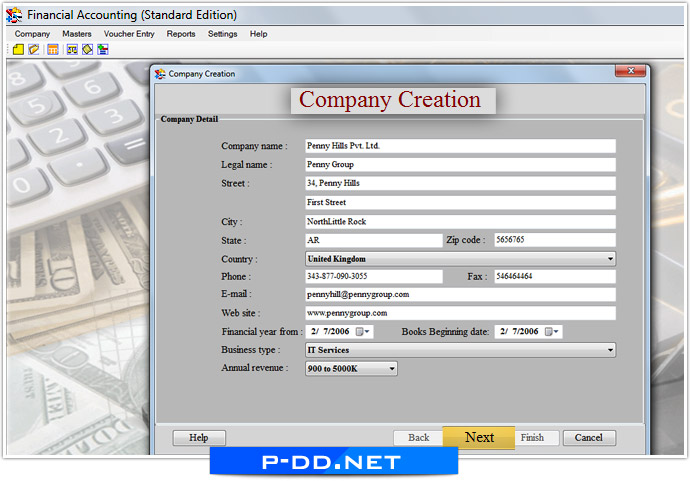
- Easily creates new Company profile with capability to maintain customers/vendors records.
- Prepares Voucher entries related to Payment, Receipt, Journal, Debit, Credit and Production.
- Manages Accounting records like Statement, Day book, Cash book, Bank book, Journal book, Debit note report and Credit note report.
- Maintains Stock, Sale, Purchase and Production reports of the organization.
- Effectively manages income and expense records of the Company.
- Accurately prepares balance sheets, profit/loss records and trial balance details.
- Provide facility to create multiple currencies with option to convert currency as per the requirement.
- Easily facilitates Bill Sundry creation and Tax type including Sale Tax and Purchase Tax.
Minimum System Requirements:
- Processor: Pentium class or higher processor
- RAM: 256 MB RAM (recommended)
- Memory: 25 MB of free hard disk space
- Environment: Microsoft .NET framework 2.0 or higher
Supported operating system:
- Windows 98, Windows 2000, Windows XP, Windows Vista, Windows 7 etc.
- Windows server 2000/ server 2003/ server 2008 etc.
|