Home | Contact us | Support | Downloads
 
  • User friendly interface
  • Easy to install and run
  • Easy for non technical user
  • Reliable and affordable
  Bulk SMS - PC to Mobile text messaging utility
Bulk SMS - PC to Mobile text messaging utility

Bulk SMS – PC to Mobile text messaging utility for Pocket PC or PDA devices facilitate user’s to send single or bulk text messages from computer PC to any mobile phone in just one click. Text messaging software creates and sends text messages for professional sms marketing campaigns, contacting employees, personalized communications, peer to peer messaging and similar other type of SMS.

Bulk SMS - PC to Mobile text messaging utility features

  • SMS messaging tool is used to send text messages from your pocket PC or PDA mobile devices to other mobile phone via Desktop or Laptop PC at both National and International network.
  • PC to mobile sms software sends text messages supported by Unicode character languages.
  • Bulk sms software allow users to enter list of phone number manually or import phone number list from phonebook memory of your mobile cell phone.
  • Supported by all major Smart phones or Pocket PC mobile phones including Anextek, Carrier Devices i-Mate, Hitachi Pocket PC phone, Voxtel W740, HP iPAQ, i-mate, UTStarcom XV6600, Orange SPV E200 smart phone, Samsung Pocket PC phone, Sharp W-Zero3 Pocket PC Phone, O2 Xphone, Asus, Palm Treo 700w, Siemens, T-Mobile MDA, Motorola MPx200, Pantech PH-S8000T smart phone etc.
  • SMS marketing tool provides perfect and inexpensive way for managing simple day-to-day mobile communication with staff and clients.

System Requirements:

  • Intel Pentium/ADM or equivalent processor supporting Windows 98, Me, NT, 2000, server 2003, XP, Vista editions
  • 128 MB RAM
  • 20 MB of free disk space

NOTE:
Synchronization is distinct way to connect your Laptop or Tablet PC with your mobile phone to transfer information or messages. Synchronization is handled in different OS such as Windows Vista, Windows XP or earlier versions of Operating systems as

  • If your PC is running Windows Vista, your synchronization settings will be managed through the Windows Mobile Device Center.
  • If your PC is running Windows XP, or earlier, your synchronization settings will be managed through Microsoft ActiveSync.
 

Bulk SMS - PC to Mobile text messaging utility


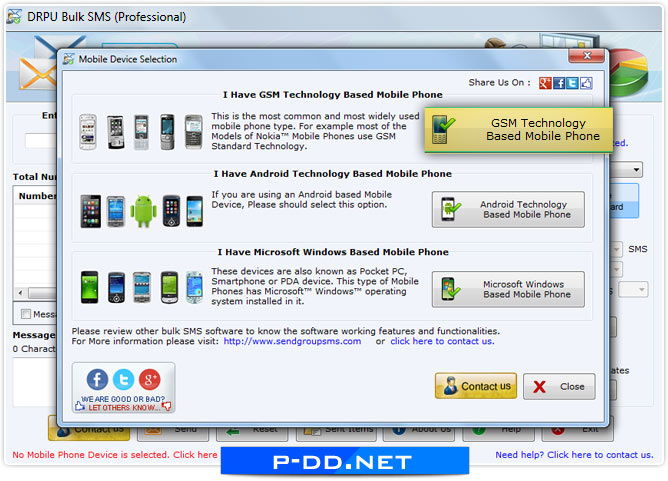
Bulk SMS - PC to Mobile text messaging utility screenshot

     
Buy now
iPortis Buy Online via iPortis
Secure

iPortis is a trusted name in highly secure online credit card processing and process payment details using advanced encryption technology to safeguard all transactions from unauthorized viewing.

Payment option
 
Download
Download Demo
Alternate Download Link


PAD Software PAD url

 
Partners


Data Retrieval Software

Music Recovery

Pictures Recovery

Password Retrieval

System Utilities

Web Tools

Database Converter

Text Messaging Utility

Mobile Forensics

Accounting Software

Setup Creator

24 hour support

Home | Contact us | Support | Downloads | Sitemap | Resources

Windows data recovery | NTFS data recovery | FAT data recovery | USB data recovery | Removable media data recovery | iPod data recovery | Zune data recovery | Memory card data recovery | Mobile Sim card recovery | Digital pictures recovery | Digital camera photo recovery

Outlook and Outlook express password recovery | Internet explorer password recovery and Windows applications passwords unmask

Data eraser | KeyLogger

Website monitoring tool | Online live chat software | Backlink checker

MSSQL to MySQL database | MySQL to MSSQL database converter | MS Access to MySQL database converter

Bulk SMS - PC to Mobile text messaging utility | Bulk SMS – Pocket PC to Mobile text messaging utility

Accounting management software

Pocket PC forensic tool | Mobile phone inspector

Setup creator - MSI to EXE | Setup install maker